The Camera That Records What Already Happened

Video Buffer keeps the last seconds of video in memory while you watch the action. When the moment happens, tap once, and the app saves what came before the tap. Up to 100 seconds of pre-recording, 4K, 240 fps slow motion, dual camera, and an Apple Watch remote. No more missed goals, landed tricks, or first steps.

App Store badge black
4.5-star average on the App Store, capturing moments since 2018
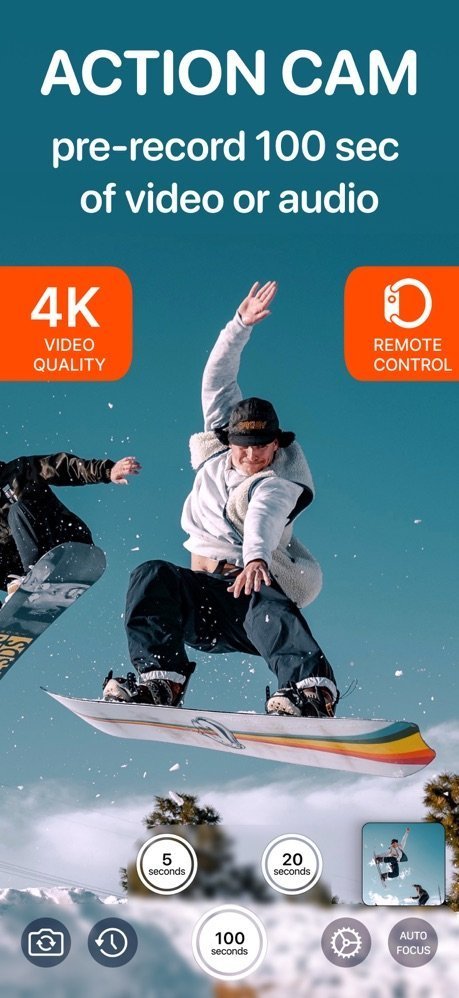
Video Buffer Action Camera recording a snowboarder with 5, 20, and 100 second buffer buttons on screen
Pre-record up to 100 seconds 4K and 240 fps slow motion Dual camera, front and back Apple Watch remote Loved by sport parents Trusted by national-team coaches On the App Store since 2018

See the App in Action

One record button, three buffer lengths, and the moment is already saved when you tap.
Action cam screen pre-recording 100 seconds of video with 4K quality and Apple Watch remote badges
Pre-record up to 100 seconds of video or audio
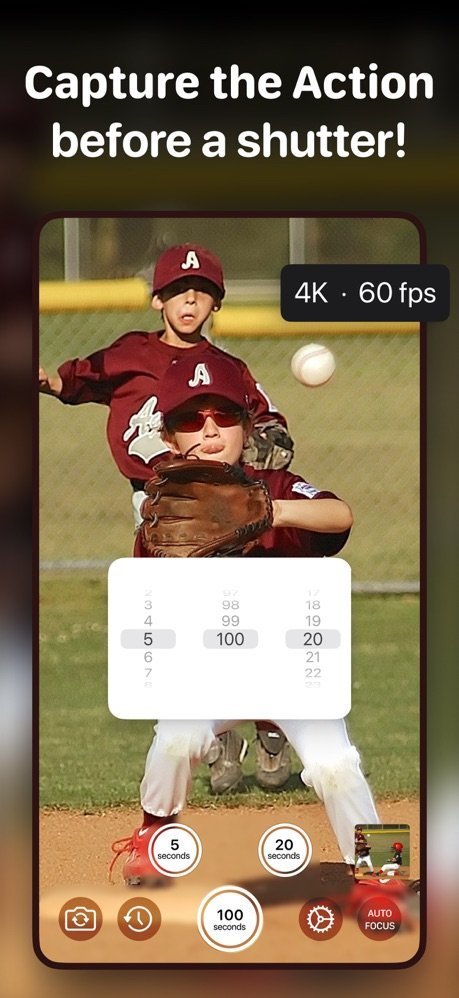
Youth baseball play with the buffer duration picker set between 5, 100, and 20 seconds
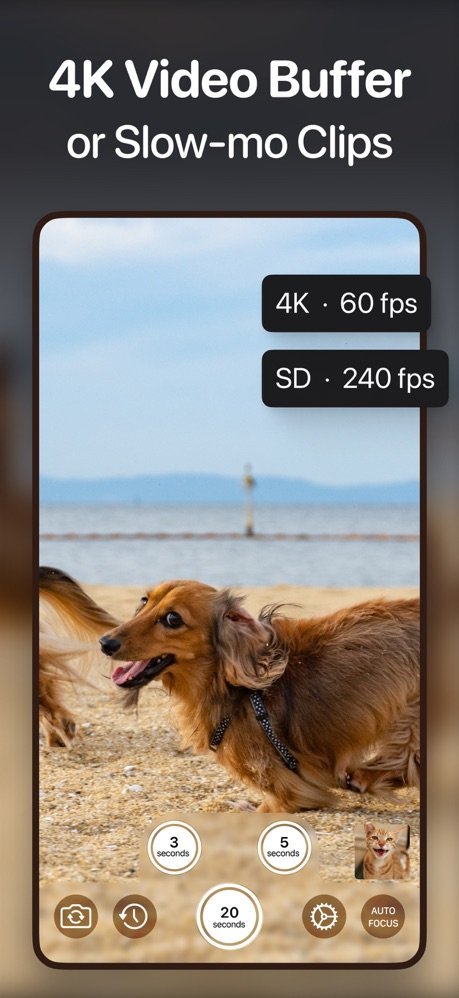
Three record buttons, each with its own buffer
Dog running on a beach captured in 4K at 60 fps or standard definition at 240 fps slow motion
4K video or 240 fps slow-motion clips
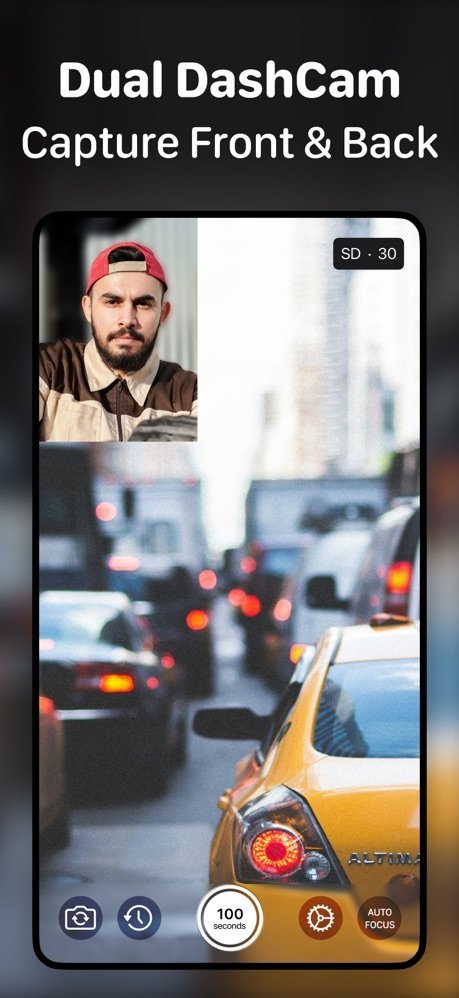
Dual dash cam mode recording city traffic and the driver with front and back cameras at once
Dual camera captures front and back together
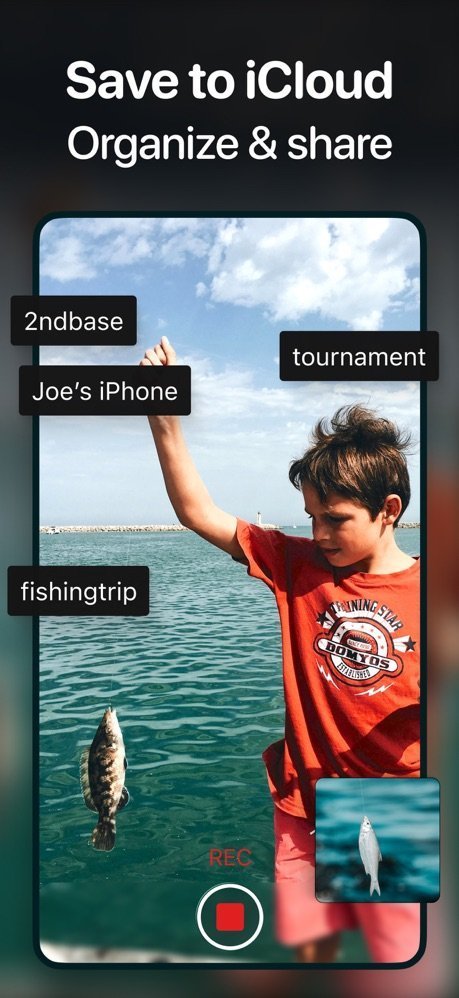
Save to iCloud screen with custom filename prefixes like 2ndbase, fishingtrip, and tournament
Save to Photos, Files, or iCloud with your prefix
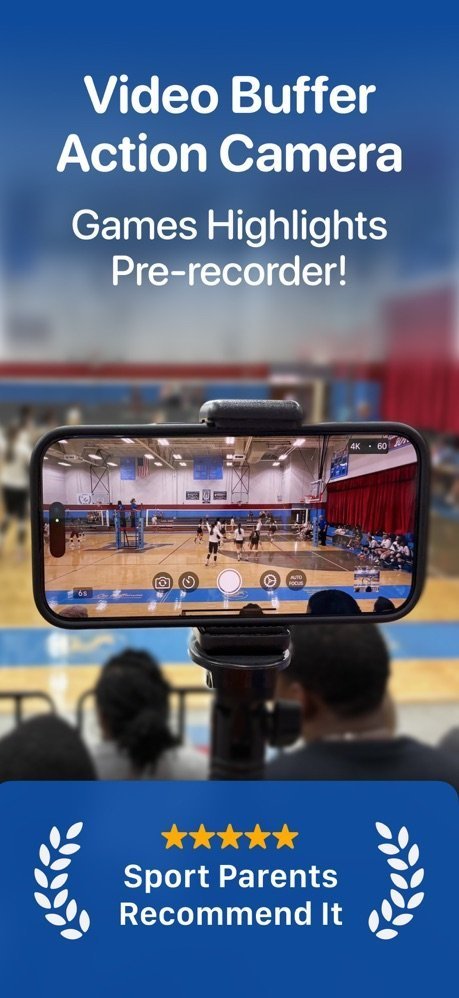
Phone on a tripod recording a volleyball game as a highlights pre-recorder, recommended by sport parents
The game highlights pre-recorder for sport parents

Used Where Missing the Moment Is Not an Option

"We used it with the Austrian handball national team at the World Championship in Denmark. I recommend it at every coaches' clinic where I speak."
Erwin Gierlinger, MSc, coach and clinic educator, Austria

How It Works

The buffer runs while you watch. You only press a button when reality gives you a reason.

1

Point the camera and relax

Open the app and set your buffer, anywhere from 2 to 100 seconds. The app quietly keeps the most recent seconds in memory. Nothing is saved to storage yet, so hours of waiting cost you nothing.

2

Tap when it happens

The moment the goal is scored or the trick is landed, tap Record, tap anywhere on the screen, press a volume button, or tap your Apple Watch. With Multiple Buffer Times on, three buttons give you three different clip lengths.

3

The past is already in the clip

The saved video starts your chosen number of seconds before your tap and continues until you stop. Or turn on Save Buffer Only and the app stops and saves automatically, one tap per finished highlight.

4

Save it your way, then go deeper

Clips go to Photos, the Files app, or iCloud Drive, with a custom filename prefix per device. Want side-by-side comparison, drawings, or a kinogram? Open your clips in the companion app, Coach Video Analysis.

Guides: Never Miss a Moment Again

Practical answers to the questions people ask right before they discover buffered recording.

How to Record Something That Already Happened on iPhone

The rolling buffer explained: save the last 30, 60, or 100 seconds after the fact.

Read the guide →

GoPro HindSight on iPhone: Pre-Recording Without the Limits

What HindSight does, where it stops, and how to get more than 30 seconds on the phone you already own.

Read the guide →

Record Your Kid's Sports Highlights, Not the Whole Game

A sport parent's setup: one tap per play, zero evenings lost to editing.

Read the guide →

Use Your iPhone as a Dash Cam That Never Fills Up

Buffered recording as loop recording: capture the incident, skip the six-hour drive.

Read the guide →

Film Skateboarding Clips: Keep the Land, Skip the Bails

Save Buffer Only turns every landed trick into a finished clip with one tap.

Read the guide →

4K and 240 fps Pre-Recording: Slow Motion With a Buffer

Full 4K or 8x slow motion, and how buffered capture changes technique review.

Read the guide →

A Cheap VAR Alternative for Grassroots Football

What Football Video Support needs, and how one phone covers the level below it.

Read the guide →

Record Front and Back Cameras at the Same Time

Dual Camera mode: reaction and action in one picture-in-picture video.

Read the guide →

Your Apple Watch as a Video Record Remote

Phone on the tripod, record button on your wrist.

Read the guide →

How to Capture Lightning and Wildlife on Video

Unpredictable subjects need a camera that starts recording in the past.

Read the guide →

Retroactive Audio: Save the Last 10 Minutes of Sound

Musicians and lecture note-takers, the audio-only buffer is for you.

Read the guide →

Forgot to Press Record? The Retroactive Voice Recorder

Save what was just said after you heard it: lectures, kids' sayings, ideas.

Read the guide →

From Captured Clip to Coaching Insight

Pair Video Buffer with Coach Video Analysis: side by side, drawings, kinograms, and the big screen.

Read the guide →

Video Buffer vs Video Delay Instant Replay

Two Borama apps, two jobs: save the moment to a file, or watch it back for training feedback.

Read the guide →

Frequently Asked Questions

Quick answers about buffered recording and about the app.

How can I record something that already happened on my iPhone?
Use a pre-recording buffer app. Video Buffer keeps the last seconds of camera footage in a rolling buffer while the app is open. When something happens, tap Record and the app saves the moments before your tap, then keeps recording until you stop. The buffer is adjustable from 2 to 100 seconds. Learn more
Is this the same app as Video Capture The Moment?
Yes. Video Buffer Action Camera was originally released in 2018 as Video Capture The Moment, and was later renamed. It is the same app, same developer, continuously updated since. If you followed an older tutorial or review under the previous name, everything it described still works; the buffer has since grown to 100 seconds of video and 10 minutes in audio-only mode.
How do I record the last 30 seconds on iPhone?
Set the buffer to 30 seconds and point the phone at the action. Every tap of the record button saves the previous 30 seconds. Turn on Save Buffer Only and the app stops and saves automatically, so one tap produces one finished 30-second clip. Learn more
Is there something like GoPro HindSight on iPhone?
Yes, this is exactly that, using the iPhone's own cameras (the app does not connect to a GoPro). HindSight caps at 30 seconds of pre-roll and switches off after 15 idle minutes; Video Buffer keeps a rolling buffer of up to 100 seconds for as long as the app is open, on the phone already in your pocket. Learn more
How long can the buffer be?
From 2 to 100 seconds for video, and up to 10 minutes in audio-only mode. You can also enable three record buttons, each with its own buffer length, for example 5, 20, and 100 seconds. Learn more
Can I record the front and back camera at the same time?
Yes. Dual Camera mode records both cameras simultaneously as one picture-in-picture video on iPhones that support multi-camera capture, and it works together with the buffer. Driving instructors use it to record the road and the learner driver in one clip; parents catch the goal and their own reaction. Learn more
Can I start recording from my Apple Watch?
Yes. The Watch companion app starts and stops recording and can trigger any of the three buffer buttons while the phone sits on a tripod. A hardware volume button press also toggles recording. Learn more
Can I use Video Buffer as a dash cam?
Yes. Nothing is written to storage until you tap record, so a long drive never fills your phone. If something happens on the road, one tap saves the seconds leading up to it. Learn more
Does it record 4K and slow motion?
Yes. Buffer in 4K at up to 60 fps, or switch to 240 fps at standard definition for slow motion. Frame rates of 30, 60, 120, and 240 fps are available depending on resolution. Learn more
How do I film my kid's highlights without recording the whole game?
Set a buffer that covers a typical play, watch the game, and tap once when your kid scores. You get the goal and the buildup, not two hours of footage to edit. Learn more
Where do saved videos go?
Your choice of the Photos library, a folder in the Files app, or iCloud Drive. Add a filename prefix per device, such as "2nd base", to keep clips organized when several phones film the same tournament. Learn more
What is Save Buffer Only?
A mode where tapping record saves just the buffered pre-roll and stops automatically. One tap, one finished clip. Skaters keep only landed tricks; referees grab just the disputed play. Learn more
Can I buffer audio only?
Yes. Switch the recording mode to Audio and the buffer extends up to 10 minutes. Save an improvised riff after you played it, without recording the whole session. Learn more
Can I analyze clips in slow motion, side by side, or with drawings?
Capture with Video Buffer, then analyze in the companion app Coach Video Analysis by the same developer: side-by-side comparison, drawings and angles, kinogram and chronogram exports, external screen presentation, and Quick Save clipping from long footage. Learn more
What is the difference between Video Buffer and Video Delay Instant Replay?
Two apps, two jobs. Video Buffer saves a clip of what just happened to a file, and that is all it does. Video Delay Instant Replay shows the action back on screen for live training feedback, with instant replay, slow motion, synced split screen, GoPro and external camera support, and TV output, and it records too. Coaching or training? Start with Video Delay Instant Replay. Just want to save moments? Video Buffer. Learn more
Is Video Buffer Action Camera free?
Free to download and free to use with short buffers. Longer buffers up to 100 seconds, all camera formats and frame rates, multiple buffer buttons, and focus lock are premium. Dual camera, stabilization, and all save destinations are free. Get it on the App Store
Was this app called Video Capture The Moment before?
Yes. Same app, on the App Store since 2018, renamed to better describe what it does. Purchases and settings carry over, and users of the original paid versions keep full access for free.

Stop Rewatching Hours. Start Saving Moments.

Coaches, sport parents, referees, skaters, and storm chasers already record the past with Video Buffer. Set your buffer once, and the next great moment is yours even if you tap late.

App Store badge black